Why You Should Start Learning to Use Cursor Today
There are roughly two ways to use AI coding tools right now.
One approach is vibe coding: you hand over a spec and let the agent run until it ships something. This is fine for quick prototypes and tools you don’t need to maintain. Sometimes you just want it done.
The other approach is staying in the loop: you plan with the agent, review what it builds, test it, and feed learnings back in. This takes more effort, but you get better results - and you actually understand what’s in your project. You’re also picking up skills along the way instead of outsourcing your judgment.
This writing is about the second approach. I’m focusing on Cursor because it’s what I know, but the ideas apply to Claude Code, Codex, OpenCode, or any tool that lets you stay in the driver’s seat.
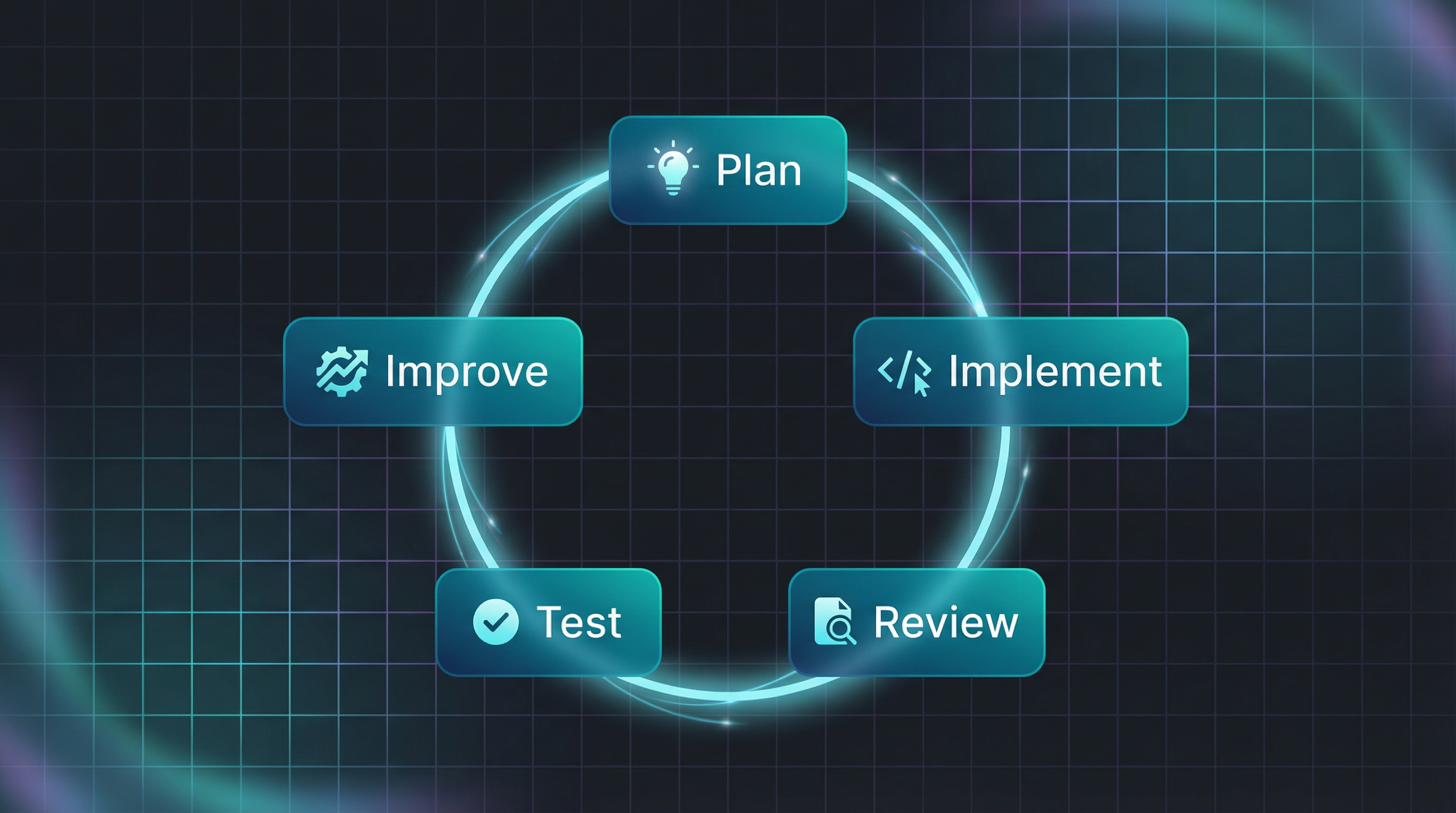
Here’s the core idea: these tools compress one loop that makes you both ship faster and learn faster.
Plan → Implement → Review → Test → Improve
- Plan: you and the agent agree on the next slice and the constraints
- Implement: move fast, but in chunks you can actually review
- Review: manual diff review + AI review (locally and on GitHub)
- Test: quick manual checks + automated tests + browser runs when UI-heavy
-
Improve: turn learnings into durable constraints (
AGENTS.md, skills, rules, and your own mental map of agent strengths/weaknesses)
Run this loop a few times and the compounding effect becomes obvious.
Managing FOMO
I know the FOMO. Every day a new tool drops promising to change everything. There’s a lot of hype. Replit, Lovable, Ralph Wiggum, CLAWDBOT. You name it.
Don’t worry if you miss the new shiny thing. That’s fine.
Think of it like crypto: Cursor and Claude Code are Bitcoin and Ethereum - the fundamentals that will stick around. Every week a new coin launches promising 100x gains. Most disappear. The basics remain.
So learn the basics. Learn to drive before you go racing. Get good at operating efficiently with one powerful agent, and the skills transfer when something better comes along.
That said, things are changing at a fast pace. Try to stay up to date with what your coding agent can do - new features drop constantly. Just don’t let the fear of missing out on other tools distract you from mastering the one you have.
Don’t chase tools. Chase loop speed.
What If You Don’t?
There are many devs who are skeptical. Check this HN thread and judge for yourself.
Antirez (the creator of Redis) wrote a piece called “Don’t fall into the anti-AI hype” that captures where we are:
“Writing code is no longer needed for the most part. It is now a lot more interesting to understand what to do, and how to do it.”
He shares concrete examples: fixing transient Redis test failures, creating a pure C library for BERT inference in 5 minutes, reproducing weeks of work in 20 minutes by feeding Claude Code his design document.
His advice:
“Skipping AI is not going to help you or your career. Think about it. Test these new tools, with care, with weeks of work, not in a five minutes test where you can just reinforce your own beliefs. Find a way to multiply yourself.”
We’re still early. Most people don’t realize the power of these tools yet. But you’ve got to start now.
Still Learn to Code
Should you stop learning to code? Of course not. Use Cursor to help you learn at a faster rate.
Still practice coding by hand. Still practice architectural thinking. Still debug and reason through problems. There’s more to learn now, not less - besides coding best practices, you’re adding a whole new skill: operating agents effectively.
The job of good programmers never changes. It’s always about automating the boring stuff. If an agent makes the same mistake twice, time to automate. If it creates verbose code, figure out how to instruct it better.
By doing this, you start noticing the blind spots - the places where you as an operator can outperform the agents.
Vibe Coding vs. Intentional Building
Sometimes you create something and you don’t care about the code quality. You just want a tool that works. Give the spec, Cursor creates everything. That’s vibe coding, and it’s fine for personal tools and quick experiments.
Vibe coding usually means you’re only doing the first half of the loop (plan/implement) and accepting the mess.
But when code quality matters, you’re running the full loop. Your job shifts:
- Reduce verbosity: AI-generated code tends to be verbose and over-engineered. Create rules that instruct it to refactor toward simplicity.
- Find failure patterns: Notice where AI fails - in architecture decisions, in execution patterns, in edge cases.
- Improve the system: Sometimes AI needs additional tools, context, or rules to operate better. Spot these gaps and create processes to improve.
This is the meta-skill: not just using agents, but continuously improving how you use them.
Planning: From ChatGPT to Cursor
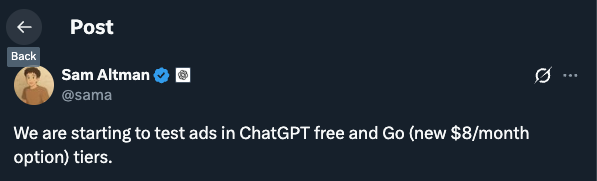
I used to plan product features in ChatGPT Go - $8/month for the projects feature, which let me organize context across different initiatives. I’d brainstorm there, shape the product, then move to code.
After Sam Altman announced they’re testing ads in the Go tier, I decided to consolidate everything into Cursor.
Cursor Agent can do everything in one place: search, web browsing, research, image generation, and reference previous documents. No more copy/paste between tools - you can reference specific parts of your planning docs directly when you’re ready to implement. Your product conversations and code live in the same workspace, so decisions stay connected to their execution.
That’s the big win: one environment where thinking and building converge.
The Loop (Plan → Implement → Review → Test → Improve)
Cursor’s biggest benefit for me isn’t “AI writes code.” It’s that this loop becomes so cheap that you can keep steering without burning out.
Plan
Use plan mode. Be involved in the planning - go back and forth until the plan is sharp, you agree with everything, and the constraints are explicit.
Sometimes you split tasks into smaller pieces. Sometimes you don’t, and you analyze where the agent did well versus poorly. Both approaches can work - the point is to keep the next step reviewable.
Implement
Let the agent implement, but keep your slices small enough that you can review them without going blind. If the agent builds too much, you’ll pay it back in review time.
Review (manual + AI)
Review the diff like a maintainer:
- logic flaws
- unnecessary verbosity
- clever tricks that obscure intent
- race conditions and edge cases
Then add AI reviews as a second set of eyes before you push:
- Cursor review (deep mode): basically BugBot running locally
- CodeRabbit: more verbose, but often catches subtle issues Cursor alone misses
- GitHub PR review: one more pass with fresh context once the code is in the PR
Ask questions like “why is it built like this?” so the agent justifies decisions. When something is off, feed it back into context.
Test (manual + automated)
TDD is very viable in the era of agents. You can co-create test cases before coding the logic. Check Martin Alderson’s view: https://martinalderson.com/posts/turns-out-i-was-wrong-about-tdd/
For UI-heavy work, use browser tooling and subagents to keep the feedback loop tight.
One of my favorite tools here is debug mode. When something is flaky or confusing, it generates hypotheses, adds logging, and gives you steps to reproduce. It mimics the way a developer debugs, but way faster.
Improve (make the agent stronger)
This is the step most people skip, and it’s where the compounding lives.
If you see a pattern where the agent fails consistently, you know what to do: automate it so it doesn’t happen next time.
- add a rule
- create/update a skill
-
update
AGENTS.mdwith project-specific guardrails - write down your mental notes on agent strengths/weaknesses for this codebase
Managing context is part of improvement too: start new chats often once context gets shaky, and keep separate chats for separate concerns.
The CLI Advantage
Coding agents are great with CLIs. So my advice is:
Build your own CLIs: For local tool access, CLIs beat MCP servers. An MCP server requires setup, configuration, bloats the context and the agent needs to discover it. A CLI is just a command the agent can run directly. So when possible prefer the CLI.
Build CLIs for everything your Cursor agent needs to access. Then create skills and slash commands so Cursor knows when to use them.
Beyond Dev Work
Cursor is slowly becoming my swiss army knife app. They recently added image generation with Nano Banana - something I previously had to go to Gemini for. The scope keeps expanding.
Beyond that:
- I built a local CLI and web view for kanban board with access to my code repos to manage all my projects
- I pull Twitter stats from the API to analyze trends with Cursor
- I created small vibe-coded tools: one compiles an epub from my RSS feeds and bookmarks and sends it to my Kindle
The pattern: if it involves text, files, images, or automation, Cursor can probably help.
Start Today
You’re still early. Pick an agent - Cursor, Claude Code, whatever appeals to you. Create the project you’ve always wanted to build, but do it mindfully so you learn along the way.
The fun is still there. You’re just building more and better now.